Sending e-documents
Documents
When Peppol720 is installet from AppSource, activities will show up on rolecenter in Business Central.

Document State
From the Rolecenter you will be able to follow the sending process.
Ready: Before the documents is process from the Queue
Pending: The document is process from the Queue
Success: The document is delivered and received with success
Error: The document could not be delivered correct or has validation error
Salesinvoice
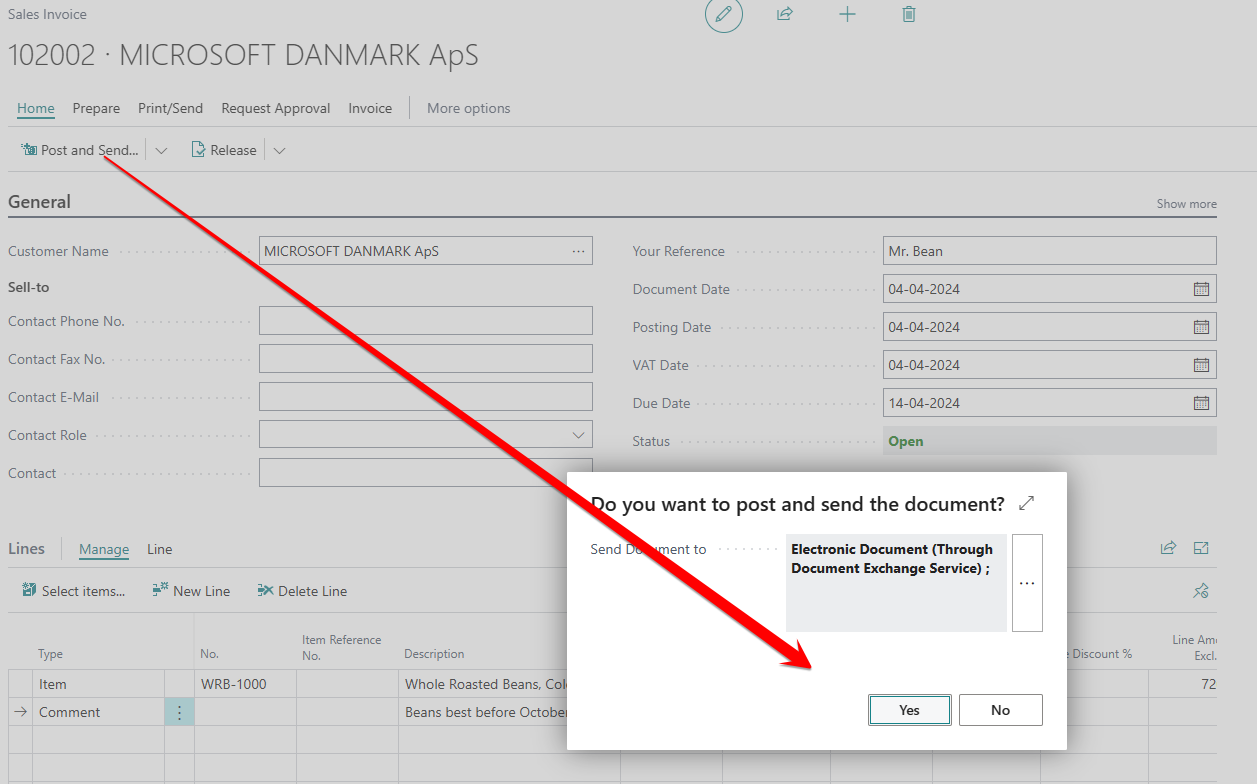
When you create a new invoice to a customer with PEPPOL720 registered as sending profile, you just need to Post and Send the Invoice.
You need to confirm to send the document as an e-document.
important
Before sending e-documents you need to register your company from the Peppol720 setup.