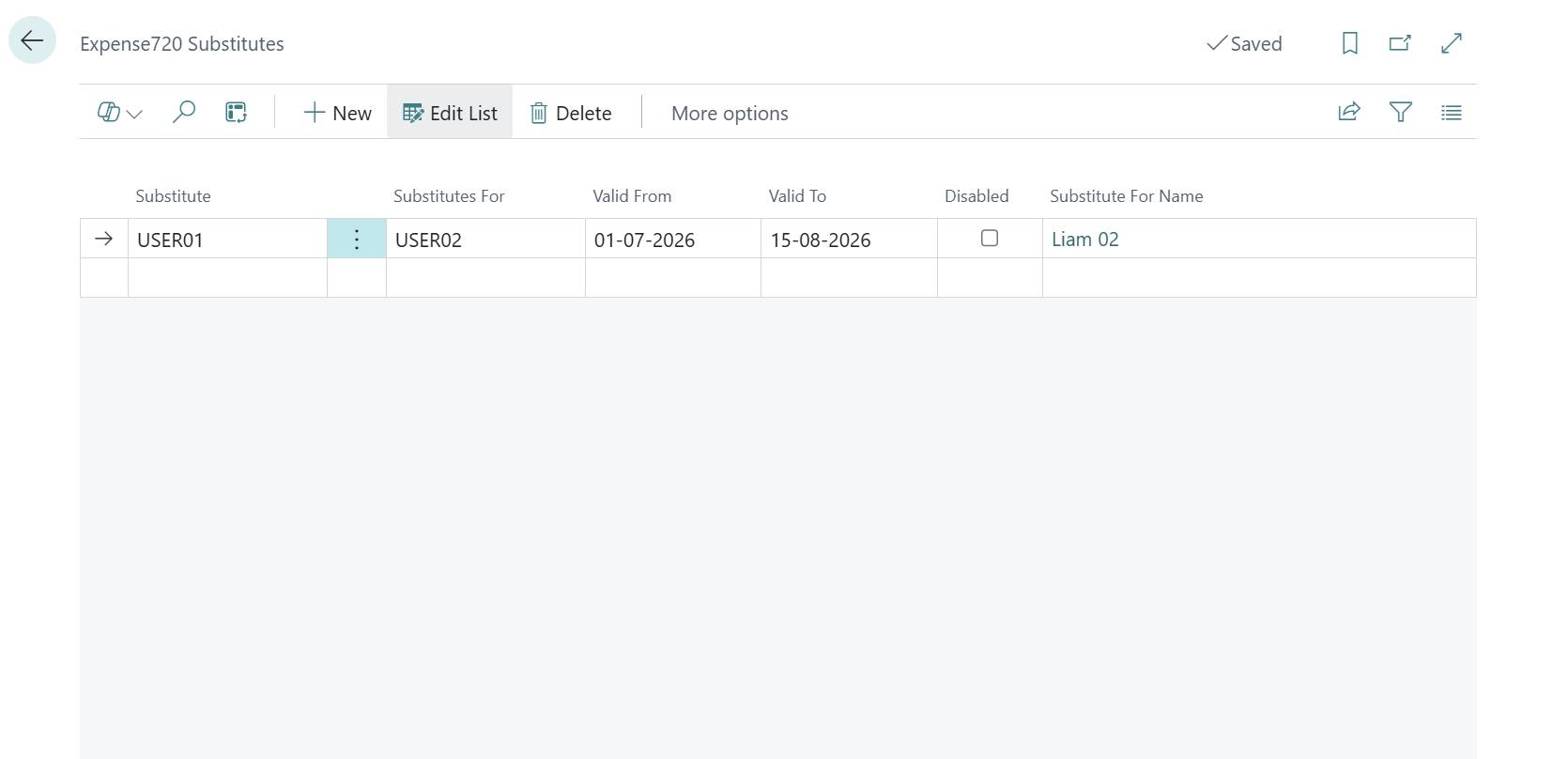
Substitutes
The substitute approver functionality allows one approver to act as a substitute for another approver in the expense approval process. This is typically used during holidays, illness, or other absences to prevent pending approvals from being blocked.
When a substitute is set up and active, they automatically receive a mirrored copy of all approval entries assigned to the approver they are substituting for.
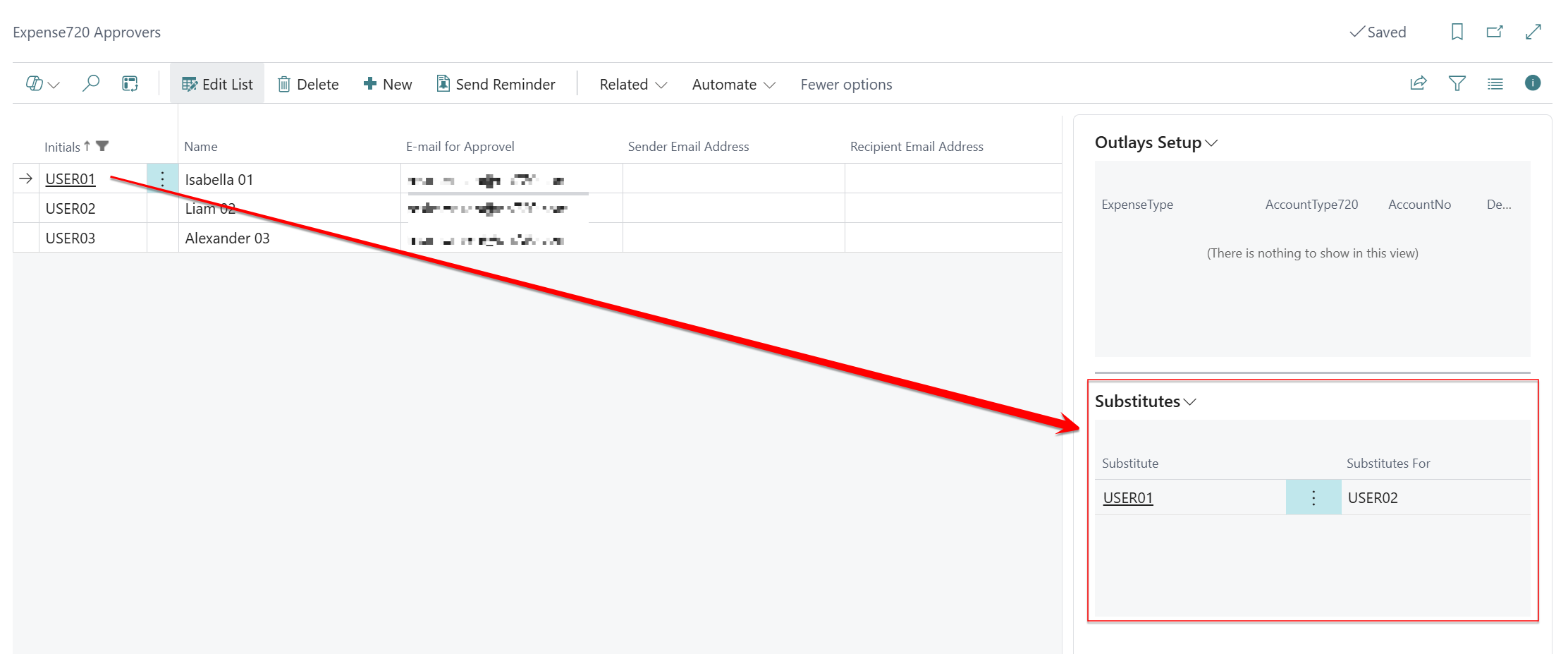
note
You need at least two approval users if you want to setup substitutes.
Process Flow
1. An approver Liam (USER02) is substituted by an approver Isabella (USER01).
→ Create a new substitute relationship:
Substitute = USER01, Substitute for = USER02
Valid from/to (optional), Disabled = false

2. A document is sent for approval.
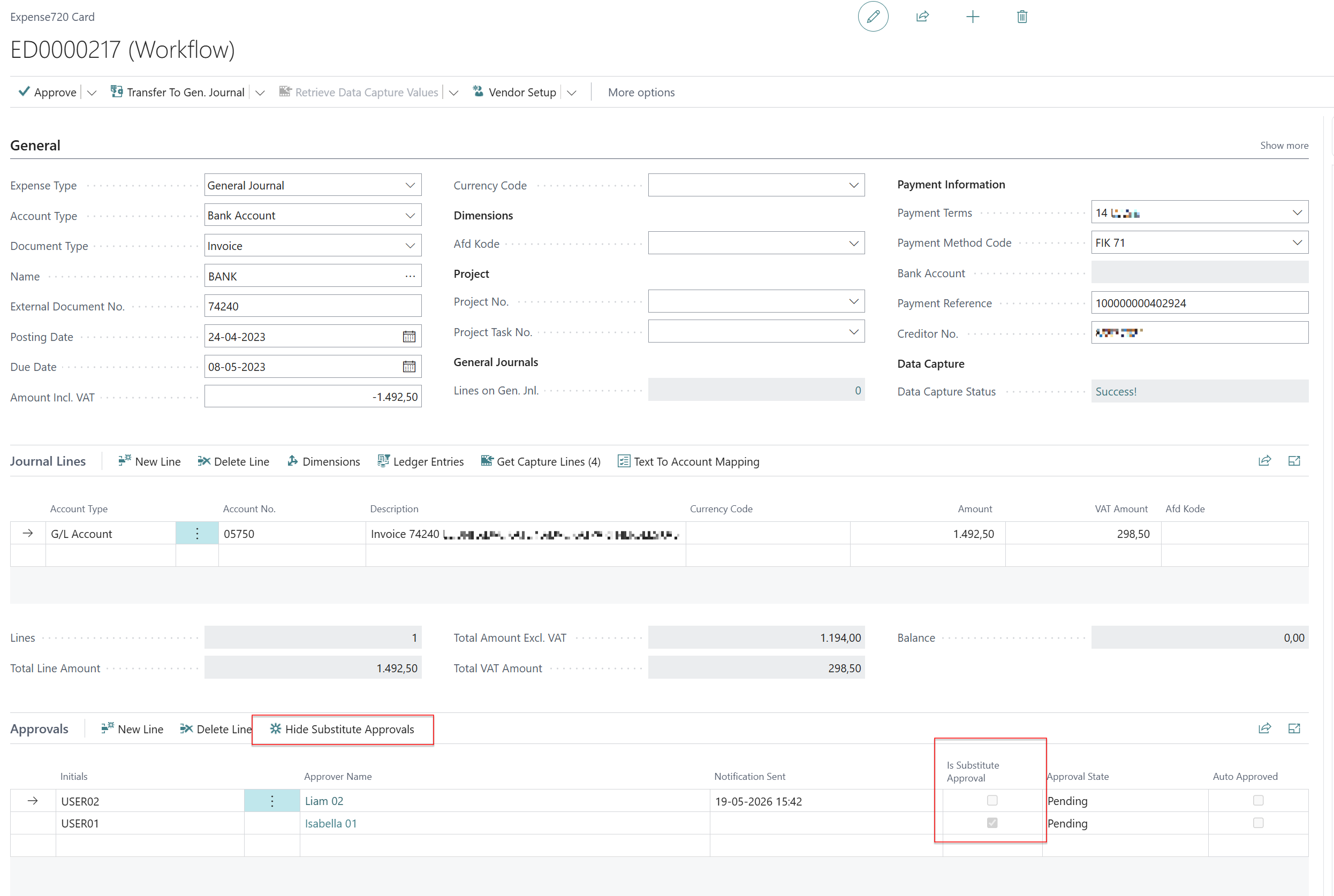
→ Starting the approval flow creates primary approval entries for Liam (USER02).
→ For each primary entry, delegate approvals are also created.
→ Isabella (USER01) receives a mirrored substitute approval entry.

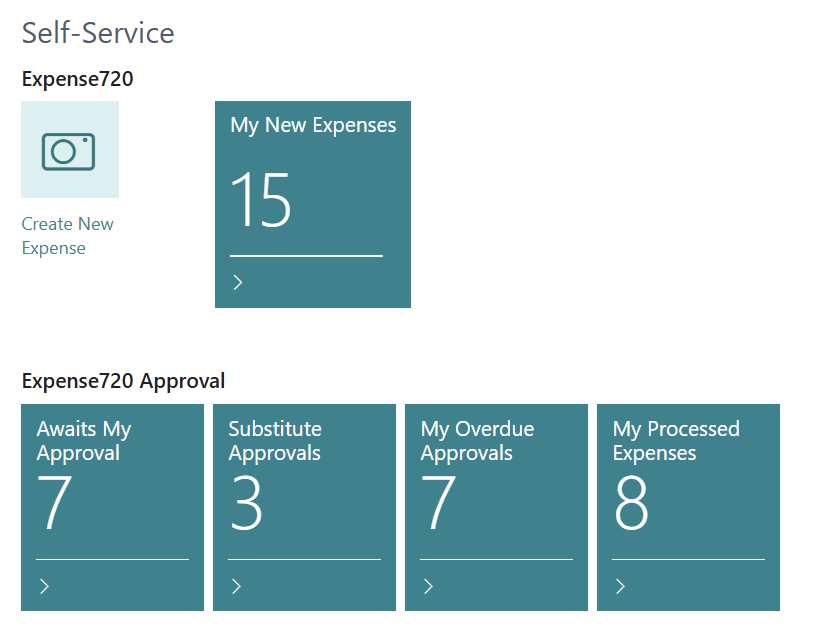
3. Isabella (USER01) sees the pending approvals in the Role Center
   under "Substitute Approvals".
Activation/deactivation
A delegate relationship can be deactivated in two ways:
Disabled = true– The relationship is preserved but inactive. It can be reactivated.- Date restriction – Set
Valid fromand/orValid toto control the period automatically.
A disabled or expired relationship will not be used, and active delegate approvals will still exist but will not be counted in the Role Center.